
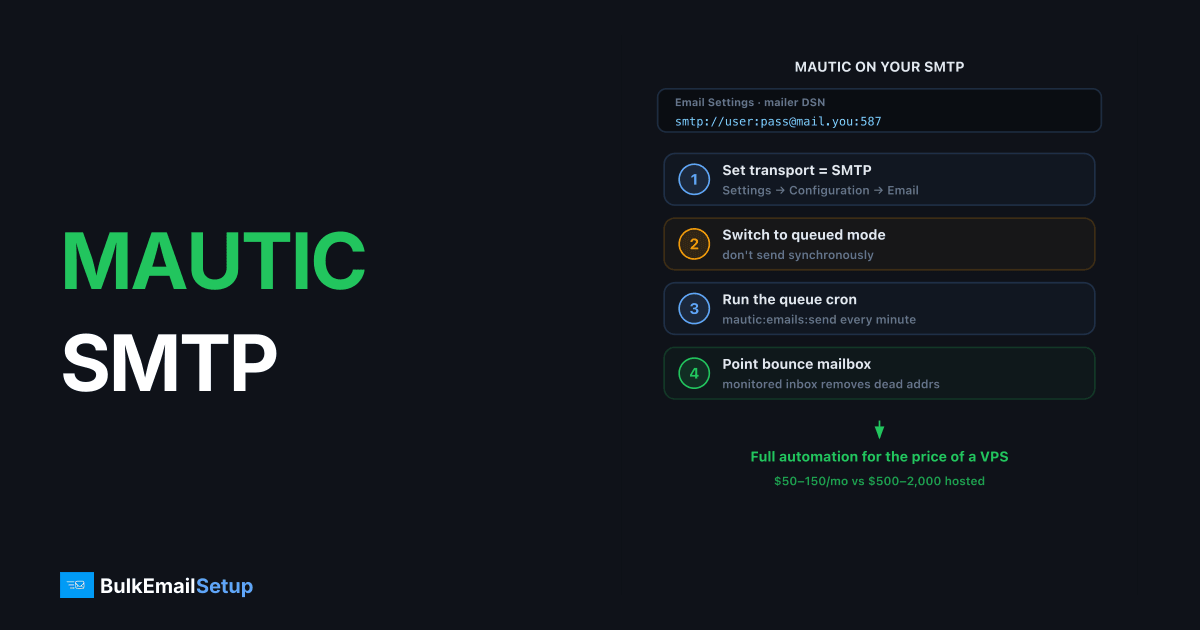
To send Mautic campaigns through your own SMTP server: set the mailer transport to SMTP in Settings → Configuration → Email Settings (in Mautic 5+ that's a DSN such as smtp://user:pass@mail.yourdomain.com:587), switch sending to queued mode, run the queue-consuming cron job, and point the monitored inbox at a bounce mailbox. Done properly, Mautic plus a dedicated SMTP server gives you full marketing automation for the price of a VPS, the stack costs $50-150/month at volumes where hosted automation platforms charge $500-2,000.
I've run Mautic in production on self-hosted SMTP since version 2. The configuration that holds up at volume, version by version where it differs.
The stack you're building
| Layer | Component | Cost |
|---|---|---|
| Automation/campaigns | Mautic (open source) | $0 |
| Sending | Your SMTP server (dedicated IP) | ~$50-150/mo managed |
| Bounce intake | IMAP mailbox on your domain | ~$0 |
| Authentication | SPF + DKIM + DMARC on sending domain | $0, mandatory |
The economics only work if the sending layer behaves, a cold or misconfigured IP turns free software into an expensive spam-folder generator. If you don't have the server yet, start with best dedicated SMTP server providers.
Step 1: Set the SMTP transport
Mautic 5.x and later: Email transport is a Symfony Mailer DSN. In Settings → Configuration → Email Settings, set the DSN to:
smtp://USERNAME:PASSWORD@mail.yourdomain.com:587
URL-encode any special characters in the password. Port 587 implies STARTTLS; use port 465 with the appropriate scheme if your server only offers implicit TLS.
Mautic 4.x: Same screen, but discrete fields, choose "Other SMTP server", then host, port 587, encryption TLS, authentication mode Login, plus username and password.
Set the from name and from email to an address on the domain whose SPF and DKIM you publish. Click Test connection, then Send test email to a real Gmail/Outlook address, connection success alone doesn't prove delivery.
Step 2: Queue, don't send immediately
In the same Email Settings panel, find the spool/queue setting and switch from Send immediately to Queue.
Immediate mode sends synchronously during web requests and campaign triggers, fine for ten emails, a disaster for ten thousand. Queued mode writes messages to a spool that a worker drains at a steady pace your SMTP server and warm-up schedule can absorb.
Then make sure the queue is actually consumed:
- Mautic 5+: run a messenger worker,
php bin/console messenger:consume email, under systemd or supervisor so it survives reboots. - Mautic 4: cron
php bin/console mautic:emails:sendevery 1-5 minutes, alongside the standardmautic:segments:updateandmautic:campaigns:triggerjobs. - Limit batch size (message limit options) so each run sends a controlled chunk.
The single most common "Mautic isn't sending" report I see is a queue with no consumer. Emails show as sent in the UI; the spool just grows.
Step 3: Bounce handling via the monitored inbox
Configure Monitored Inbox in Email Settings: an IMAP account (e.g. bounces@yourdomain.com, port 993, SSL) that receives your Return-Path mail. Map the Bounces folder, and add the unsubscribe folder if you use mailbox-based unsubscribes.
Cron php bin/console mautic:email:fetch every 10-15 minutes. Mautic parses bounce notifications and flags contacts as Do Not Contact, which is what keeps your hard-bounce rate from compounding campaign over campaign. Skipping this step is the slow-motion way to get your IP blacklisted.
Step 4: Pace the sending to your IP's warm-up
Mautic will happily drain a 100K queue as fast as your server accepts, which on a fresh IP is how you meet Spamhaus. Control the rate with the queue batch limits and cron frequency:
| IP age | Daily target | Practical setting |
|---|---|---|
| Week 1 | 500-2,000 | Small batches, infrequent consumer runs |
| Week 2-3 | 2,000-20,000 | Increase batch size gradually |
| Week 4+ | 20,000+ | Normal continuous consumption |
If your SMTP server is managed, the provider typically enforces server-side rate limits matching the warm-up. Mautic then just queues against them. If self-managed, read how to set up an SMTP server for bulk email before the first big campaign.
Troubleshooting table
| Symptom | Check |
|---|---|
| Test email fails | Port/TLS mismatch; try 465 vs 587; check firewall on the Mautic host |
| "Sent" in UI, nothing delivered | Queue consumer not running; spool directory growing |
| Auth error with valid password | Special characters not URL-encoded in the DSN |
| Spam folder placement | DKIM d= alignment, SPF, rDNS, infrastructure, not Mautic |
| Sending bursts then 4xx errors | Batch too large for warm-up stage; receiver is deferring |
| Bounces not flagging contacts | mautic:email:fetch cron missing, or wrong IMAP folder mapped |
Cost context
A Mautic + dedicated-server stack at 200K emails/month runs roughly $50-150 total. HubSpot, ActiveCampaign, or Marketo at equivalent contact counts run $500-2,000+. The trade is operational ownership, the same trade analyzed at higher volume in self-hosted SMTP vs ESP at 1M emails. For most technical teams it's a good trade; for teams with no one to own cron jobs and DNS, it isn't.
How BulkEmailSetup helps
BulkEmailSetup supplies Mautic-ready dedicated SMTP servers: credentials with authentication pre-configured, a warmed dedicated IP, and server-side rate limits matched to a managed warm-up plan. You run the campaigns; we keep the sending lane clean. Plans on the pricing page.
Frequently asked questions
How do I configure SMTP in Mautic?
Go to Settings > Configuration > Email Settings, choose SMTP as the mailer transport (in Mautic 5+ this is a DSN like smtp://user:pass@host:587), enter your server's hostname, port 587, and credentials, then use the Test Connection and Send Test Email buttons to verify.
Should Mautic send immediately or use a queue?
Queue, always, for any real volume. Immediate sending blocks page loads and bursts traffic at your SMTP server. Queued mode spools messages and a cron job (messenger:consume email or mautic:emails:send) drains them at a controlled rate.
How does Mautic handle bounces?
Mautic monitors an IMAP mailbox for bounce messages (Settings > Configuration > Email Settings > Monitored Inbox) and marks contacts as Do Not Contact. Without it, bounced addresses keep receiving sends and damage your sender reputation.
Why does Mautic say emails sent but nothing arrives?
Usually the queue isn't being consumed, the cron job or messenger worker isn't running, or the SMTP transport silently rejects the from-address. Check the queue depth and your SMTP server logs first.
Can Mautic send 100K+ emails through one SMTP server?
Yes, comfortably, if the IP is warmed and queue settings pace the sending. Mautic itself isn't the bottleneck; receiver-side rate limits on a cold IP are.


